SkillSnap Visual AI–Based Learning Discovery App
Academic
App
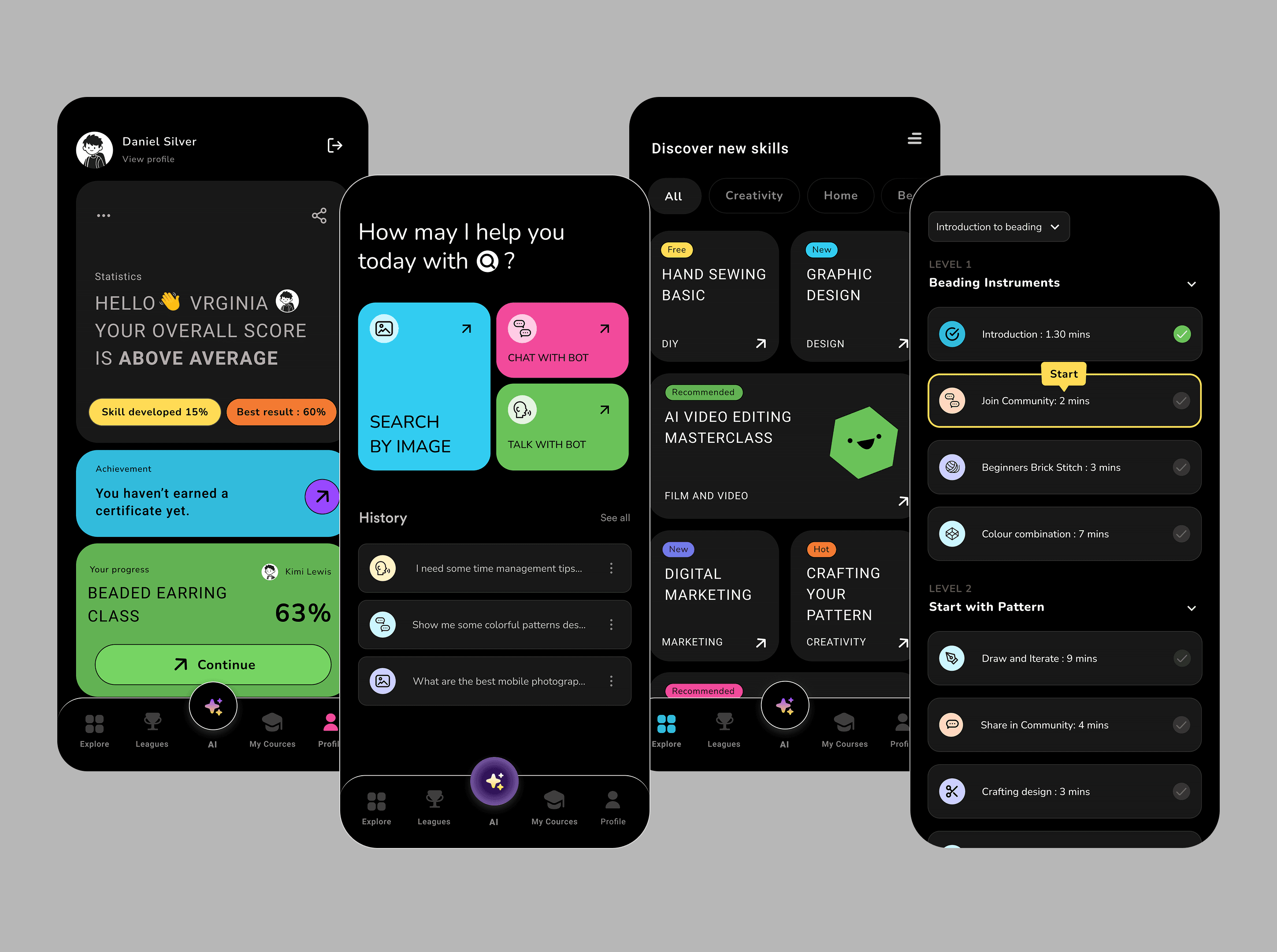
SkillSnap is a concept app that helps users discover relevant learning opportunities by taking a photo of a real-world object. Instead of searching manually, users start from visual inspiration and are guided toward skill-building courses aligned with their interests.


The Problem
Many learners want to acquire new skills but struggle to:
convert inspiration into searchable keywords
identify what skill they should learn
navigate overwhelming learning platforms
Traditional search-based discovery assumes users already know what to look for, which often isn’t the case for beginners.
UX Goal
Make skill discovery intuitive and accessible
Reduce cognitive load during content exploration
Support self-directed and personalized learning
Use AI as a supporting tool, not the focus of the experience
Key UX Decisions
1. Image-first interaction instead of search
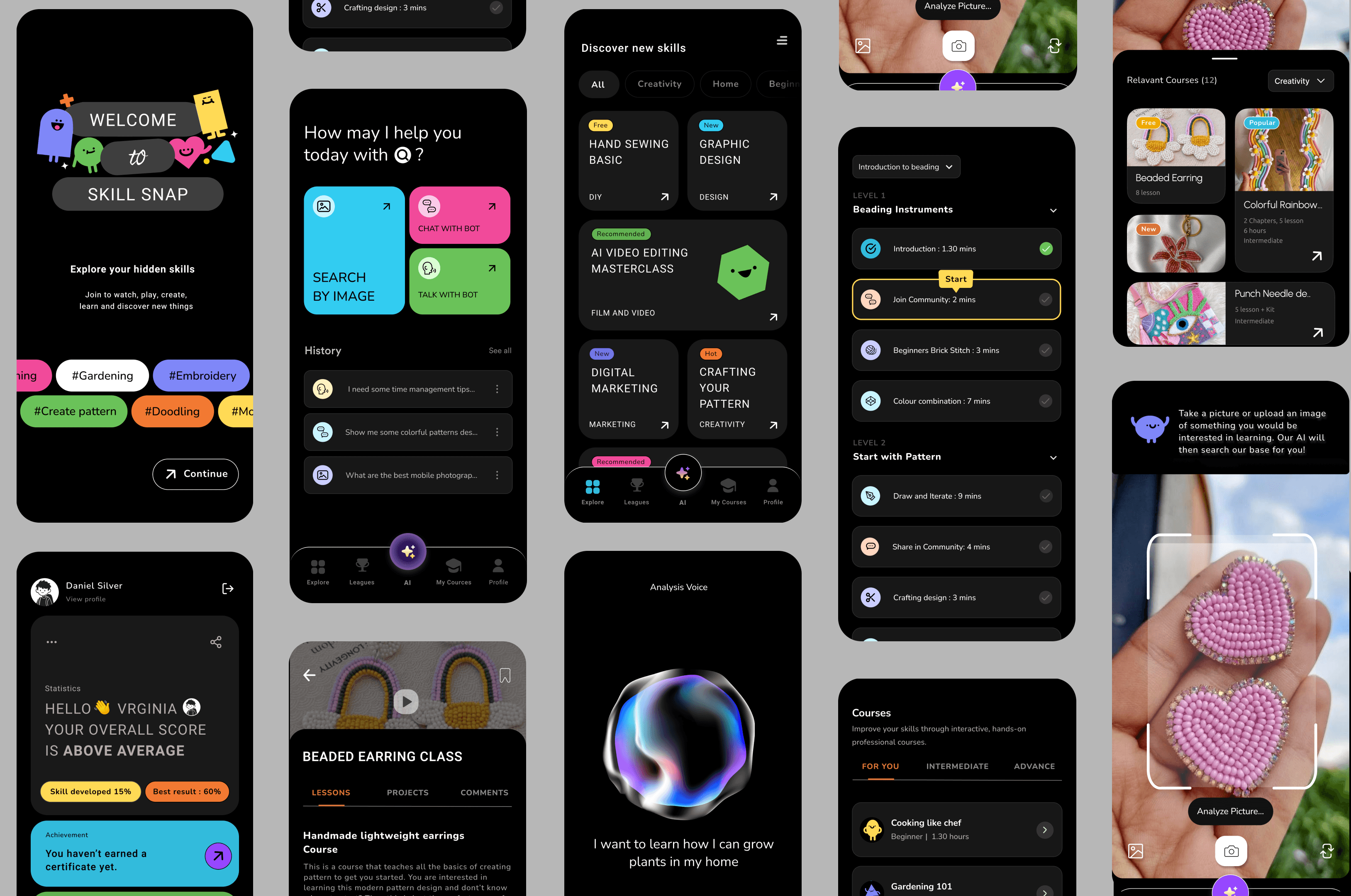
To lower the entry barrier, SkillSnap allows users to upload or capture an image related to something they want to learn (e.g., an object, artwork, or activity).
This approach:
removes the need for precise keywords
supports exploratory learning
aligns with how curiosity often starts visually
2. Guided learning recommendations
Instead of showing long content lists, the app guides users through:
suggested skill areas related to the image
curated learning paths and course categories
This helped users move from inspiration = direction without feeling overwhelmed.
3. Conversational and visual UI
To keep the experience lightweight and human:
the interface was designed to be visual-first
interactions were broken into small, progressive steps
optional conversational prompts supported discovery and refinement
This supported different learning styles while keeping cognitive load low.
Impact
Demonstrated how AI concepts (image recognition, recommendations) can improve UX without dominating it
Reduced friction in early-stage skill discovery
Created a beginner-friendly experience for users unsure where to start
What I Learned
Users often need help identifying what to learn before how to learn
Visual cues can be more effective than text-heavy search in early discovery stages
AI adds value when it simplifies decisions rather than adding complexity